A more intuitive Sway scratchpad: Turn it into a floating workspace
Background
(If you already familiar with scratchpad and it's limitations, jump the Solution section below.)
In Sway/i311The idea on this post is only execised in Sway. Let me know if you've tried it on i3 and if it works or not. the basic scratchpad usage is as follows:
# Send the focused window to the scratchpad
bindsym $mod+Shift+grave move scratchpad

# Show or hide a scratchpad window
bindsym $mod+grave scratchpad show
- Open an application.
- Hit
$mod+Shift+graveto send it to the scratchpad. - Hit
$mod+graveto bring it back.
This works for one application quite well. If you send more than one application to scratchpad, scratchpad show (the $mod+grave binding) cycles through them. This is somewhat manageable for maybe two applications.
To go beyond this, you start defining application specific bindings:
# Toggle each app independently
bindsym $mod+F1 [app_id="scratch-term"] scratchpad show
# ...

# (Optional) Automatically stash matching windows when they open
for_window [app_id="scratch-term"] move scratchpad
# ...
Now when you do $mod+F1, your terminal will be fetched from the scratchpad. Do $mod+F1 again and send it back to scratchpad. Easy.
You also need to start applications with proper titles or WM classes so that these bindings do work. For our scratchpad terminal example, if you are using foot, you need to do something like this to start it:
foot --app-id=scratch-term
This is also good for applications that you use fairly often but of course it comes with a maintenance burden. For every application, you need to handle the configuration above, find proper keys for them and you also need to remember them. Again, this works fairly well for a couple of applications maybe. After that, things get messy.
With configurations like this, I feel we lose the power of manual tiling. Application specific bindings work well for a fixed set of frequently used tools but I don't want to configure every window that might temporarily belong in my scratchpad. I want to collect windows on the fly and arrange them just as I would on a normal workspace.
If you search for i3/sway scratchpad, you'll see an abundance of scripts that tries to make this easy for you. Here, I am going to add one more to the pile.
Solution
I want to think of the scratchpad as a separate workspace that I can summon on demand and hide on demand. This workspace is also a floating one, hence, it can float on top of whatever my current workspace is. I think this model simplifies how scratchpad works and aligns better with what I want: an ad-hoc layout for my hidden windows.
Another benefit is that, there is no more cycling. Instead of cycling through separate scratchpad windows, I summon the whole group at once. I can see its tabs, switch between its windows using the usual focus commands, or arrange them side by side.
# Send current window to our "scratchpad workspace"
bindsym $mod+m exec ~/.config/sway/scripts/scratch-workspace

# Toggle visibility of our "scratchpad workspace"
bindsym $mod+grave [con_mark="^_scratch_workspace$"] scratchpad show
Now assume I simply opened Signal application, hit $mod+m. Then I opened the WhatsApp application, hit $mod+m. And lastly opened Talk application and hit $mod+m. These are all sent to my scratchpad workspace. Then I hit $mod+grave to show my scratchpad workspace:
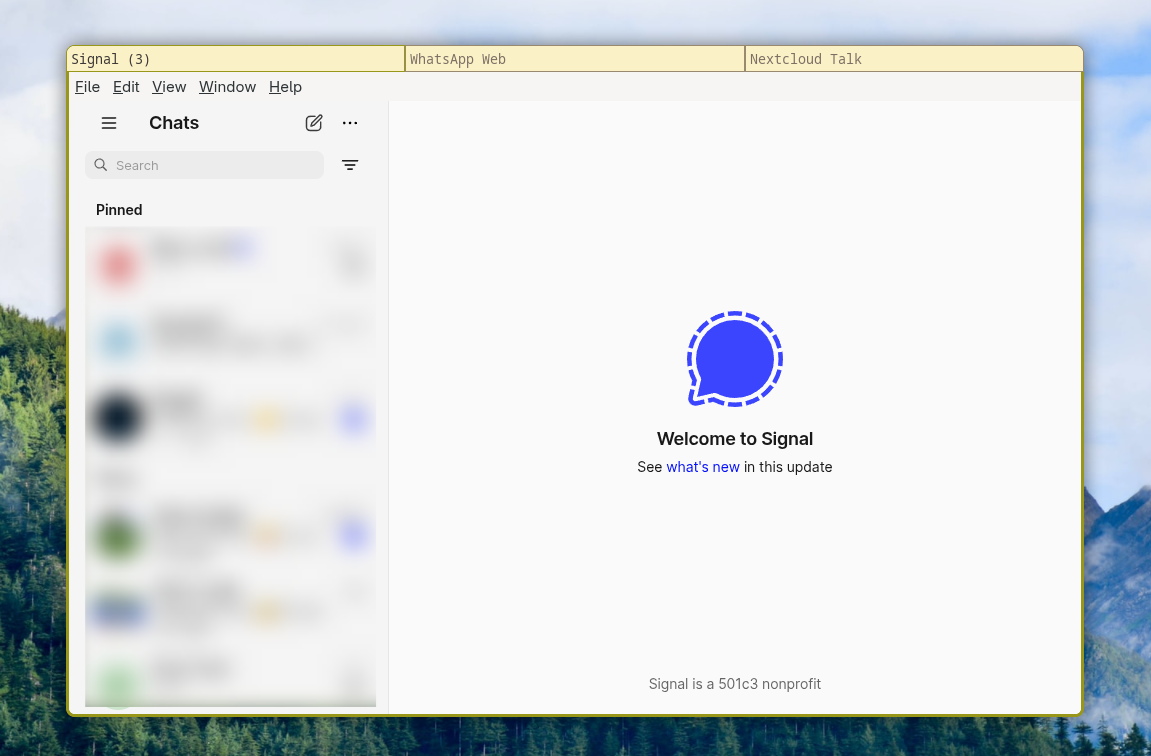
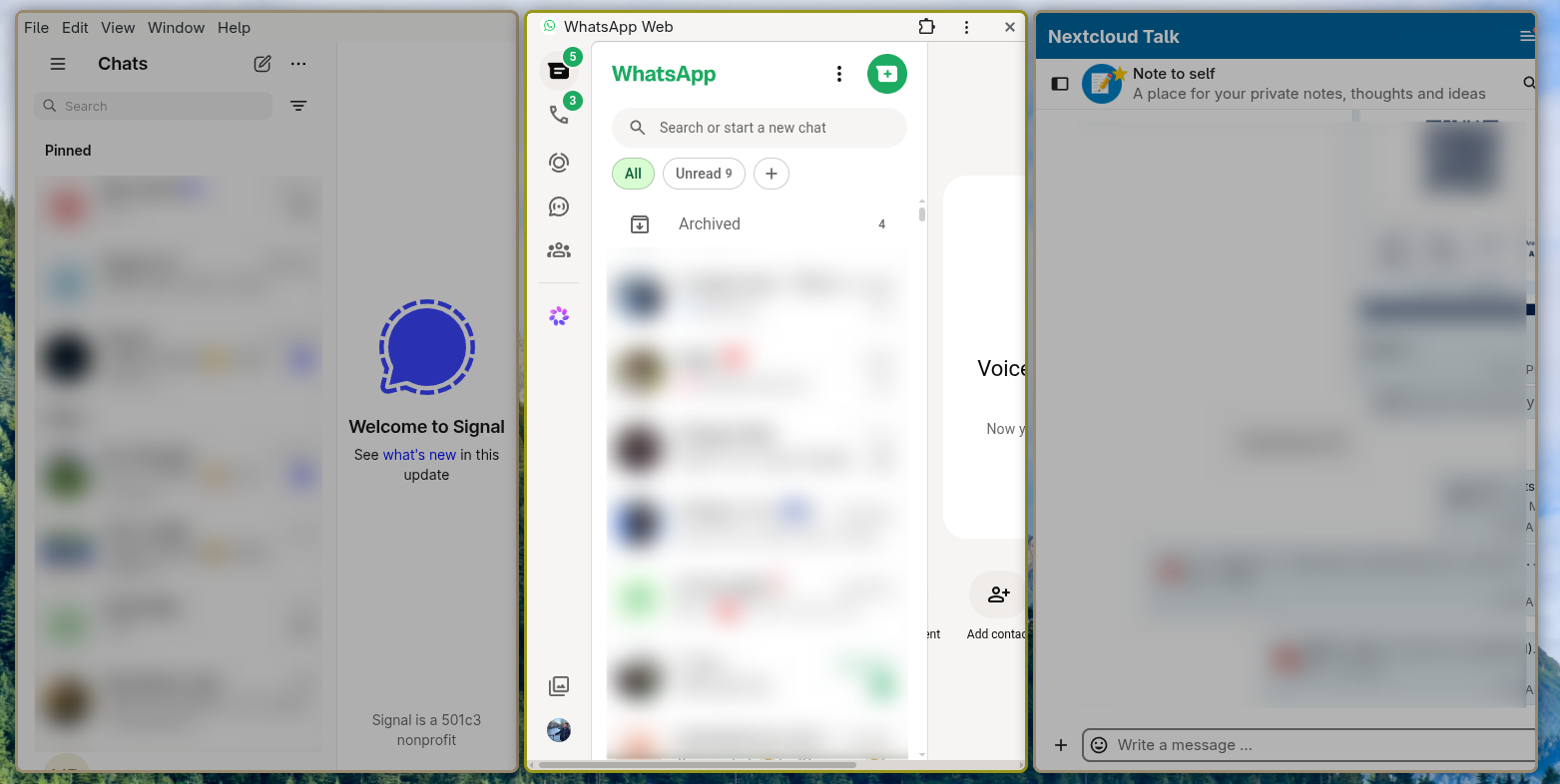
As you can see, all three applications are now in a tabbed container that floats above my current workspace. This is a workspace and I can switch to a horizontal layout of course:
Just to have a complete example, here I have two windows in one of my normal workspace:
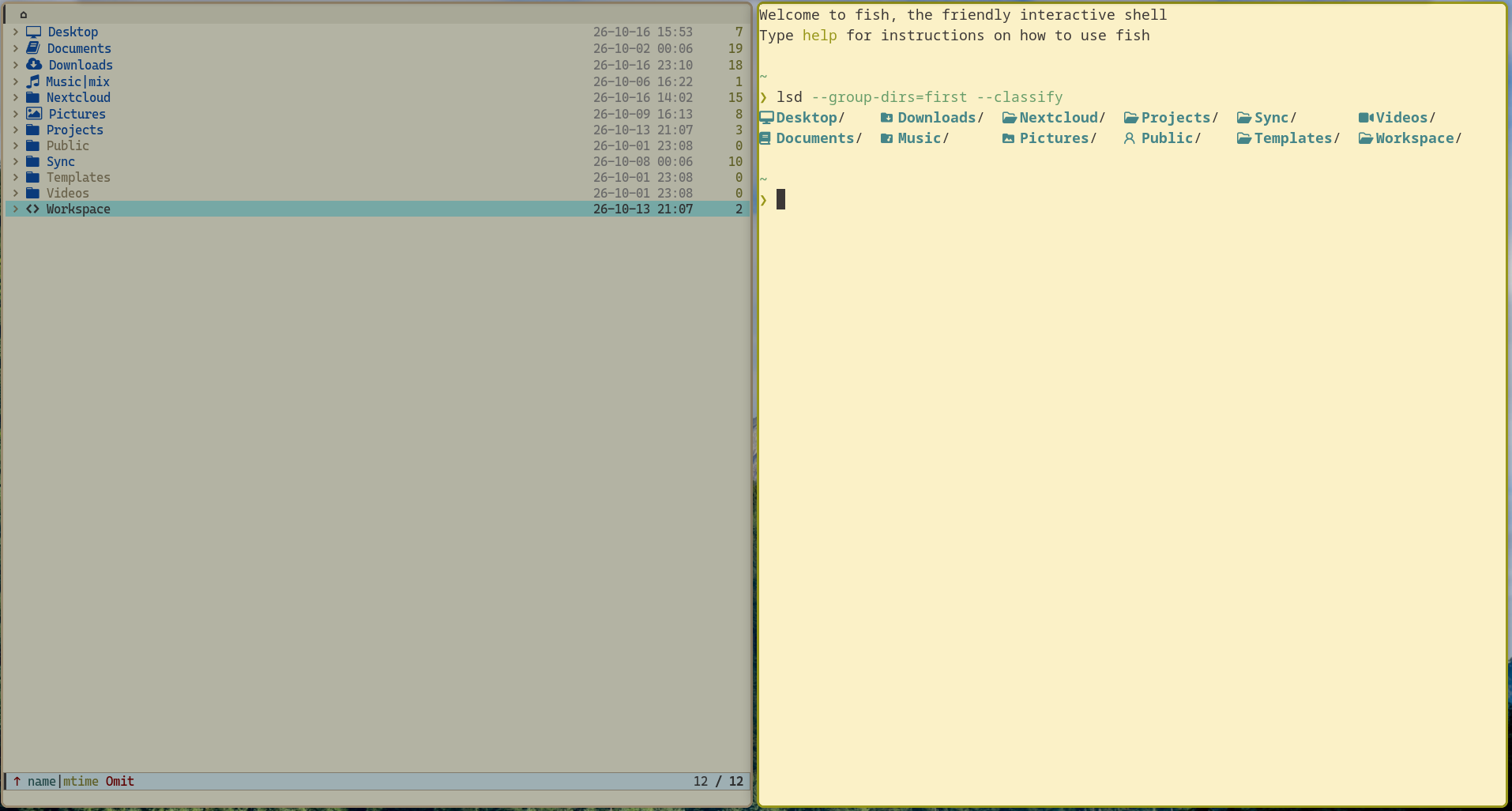
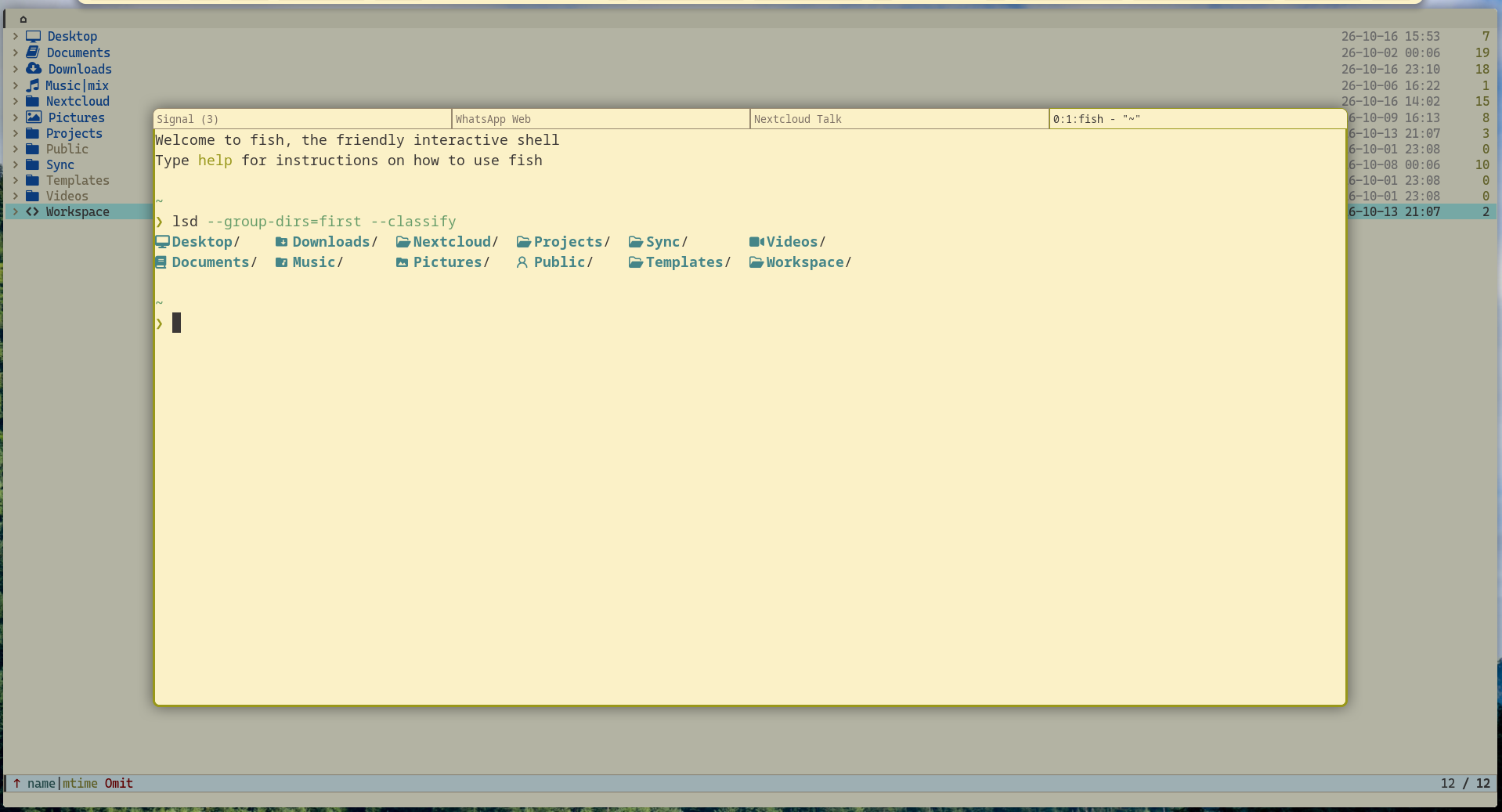
I hit $mod+m while I am focused on the terminal on the right. It goes to my scratchpad workspace. Then I hit $mod+grave to summon it:
Of course this scratchpad workspace is just one container that is in the scratchpad. You can still have the usual scratchpad bindings:
bindsym $mod+tab scratchpad show
bindsym $mod+shift+tab move scratchpad
…and they will work as before. The group is just another item in Sway's scratchpad, so the ordinary bindings still cycle through it alongside any other scratchpad windows.
Here is the script that handles the lifecycle of the scratchpad workspace:
#!/usr/bin/env bash
set -euo pipefail

# *** Configuration ***

# Layout: tabbed, splith, splitv
LAYOUT=tabbed

# Size: percentage of the workspace, or pixels (px instead of ppt).
WIDTH="80 ppt"
HEIGHT="75 ppt"

# Keep manual size/position changes after creating the group. If
# false, every time you add something to this workspace, the geometry
# is sync with what you've defined here.
PRESERVE_GEOMETRY=false

# *** Main ***

marks=$(swaymsg -r -t get_marks)
created=false

if jq -e 'index("_scratch_workspace") != null' <<< "$marks" >/dev/null; then
    swaymsg 'fullscreen disable, floating disable, mark --add _scratch_incoming'
    swaymsg '[con_mark="^_scratch_workspace$"] move scratchpad'
    swaymsg '[con_mark="^_scratch_workspace$"] scratchpad show'
    swaymsg '[con_mark="^_scratch_incoming$"] move container to mark _scratch_workspace'
    swaymsg '[con_mark="^_scratch_incoming$"] unmark _scratch_incoming'
else
    swaymsg "fullscreen disable; floating enable; split h; layout $LAYOUT; focus parent; mark --add _scratch_workspace"
    created=true
fi

if [[ "$created" == true || "$PRESERVE_GEOMETRY" == false ]]; then
    swaymsg "[con_mark=\"^_scratch_workspace$\"] resize set width $WIDTH height $HEIGHT, move position center"
fi

swaymsg '[con_mark="^_scratch_workspace$"] move scratchpad'
What it essentially does is, it tries to see if there is a marked container named _scratch_workspace. If so, it moves the current window into that container. If not, it creates that marked container with the current window and sends that container into the scratchpad. Simple. You can generalize this idea and make the _scratch_workspace mark configurable and have any number of mini scratchpad workspaces (the script probably takes it as an argument) but I haven't had the need for more than one.
One thing I wasn't able to solve is that it's not possible to move the current window to this mini scratchpad workspace without making it visible first. Unfortunately Sway does not allow that but it happens so fast that most of the time you don't even see anything at all.